UgCS and DJI drones
Two ways to fly a DJI drone on a mission planned in UgCS: the UgCS for DJI app or DJI Pilot 2, with pros and cons of each.
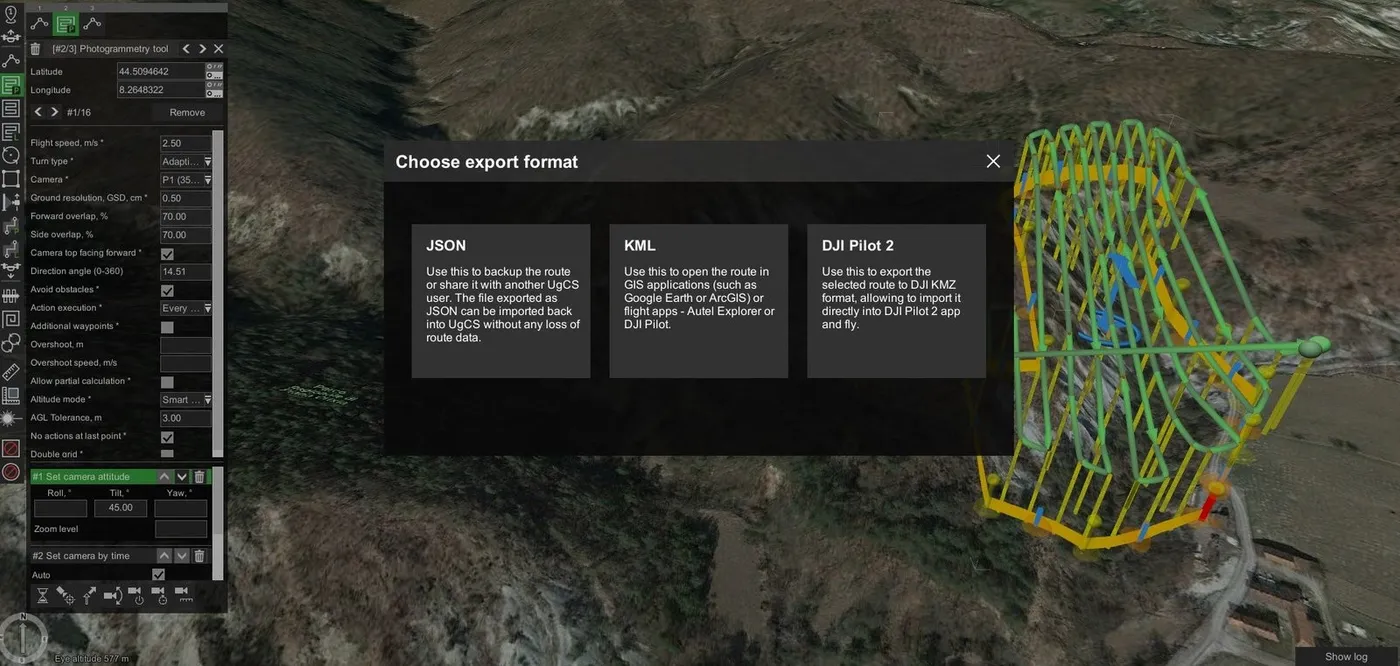
If you want to fly your (DJI) drone on a flight mission created in UgCS, you have two options.
Well, not quite two for everyone…
It depends on your drone.
You install the “UgCS for DJI” app and load the mission into it, connecting your PC (where UgCS runs) to the same Wi-Fi network as the remote controller;
You use the “DJI Pilot 2” app, where you can import a KMZ exported from UgCS or connect UgCS via the cloud.
The first option works for all drones, the second only for the Mavic 3 Enterprise, Matrice 300 RTK and Matrice 30.
I used the “UgCS for DJI” app for years.
It was OK, but it had some operational limits (little freedom to edit parameters, video feed stretched to 16:9 even with 4:3 or 3:2 images, possible crashes, …).
And on iOS devices there was effectively no official version and no real support.
I still use it with the Phantom 4 Pro and the Phantom 4 RTK, but since the latest updates, when I use the Matrice 300 RTK or the Mavic 3 Enterprise, I do everything directly in the “DJI Pilot 2” app.
The “Cloud” option takes away the problem of physically transferring the flight mission files.
It is handy, but it needs a reasonably good network to connect the PC and the remote controller to the data online.
If connectivity is poor, you can export a KMZ from UgCS in the specific format for the “DJI Pilot 2” app, and then move the files onto the remote controller with a microSD card or USB stick.
It takes an extra step, but you easily get around the lack of a data connection.
Either way, if you are confident with the missions you planned in UgCS at home or in the office, you can always avoid using a PC in the field (an option that is sometimes far from trivial).
If you use the “UgCS for DJI” app or the “Cloud” solution for “DJI Pilot 2”, you can save the flight missions locally on the remote controller.
If you export the KMZ files to an external device, you just load them directly from there.
Working in “DJI Pilot 2” has the advantage of giving you access to all the telemetry in flight, full control of the camera (if you do photogrammetry), RTK management and all the drone’s safety settings (RTH, max altitude, geofencing, …).
I find it very functional and efficient.
Or at least, it works well for me.
All this applies to DJI drones that support mission planning, which include, besides the Enterprise series, the Phantom 4, Phantom 4 Pro, Mavic 2, Mavic 2 Pro, …
If you use DJI drones, does this match your experience?
If you don’t, can you still use UgCS for mission planning?