
New PC and a list of installed programs
A quick way to list the software installed on a Windows PC with PowerShell, so you know what to reinstall when you change or format your computer.
When you change (or format) your PC you will want to reinstall (all or almost all) the software you had before.
I’ve just been through exactly this kind of change (a hardware upgrade), so I’m going a bit off topic (compared with the usual subjects of measurement and surveying) to share a way to make a list of the installed applications.
Before you start
I’m not at all an IT expert or enthusiast, and there may well (in fact surely) be better, more effective and more elegant ways to make this list.
I work with the Windows operating system and share the procedure for that environment.
I use Windows PowerShell, with no other apps.
Steps
Press the “Windows+X” keys together.
Launch “Windows PowerShell (Admin)”.
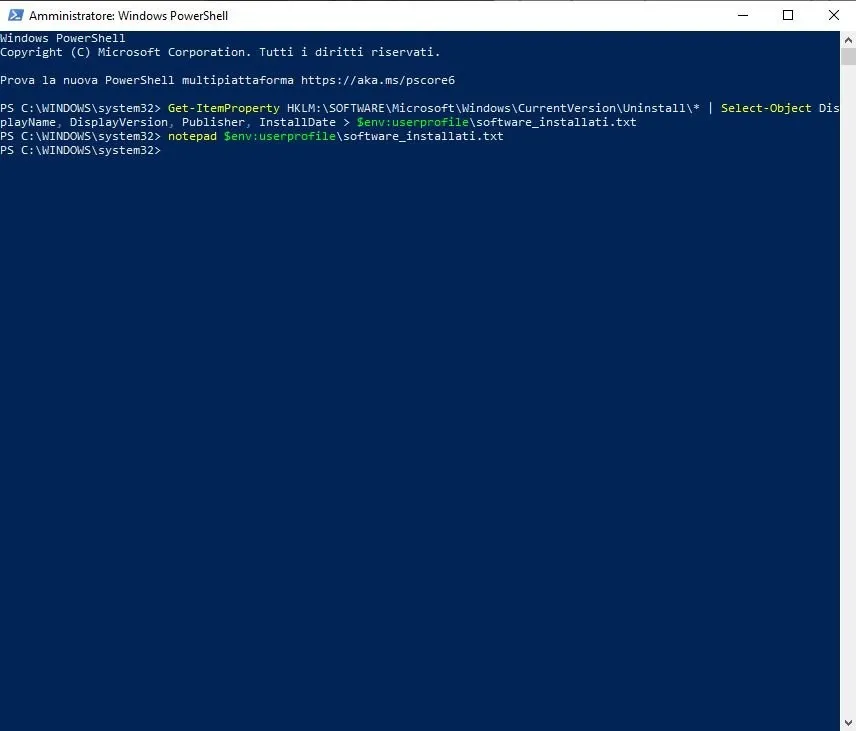
Paste this text into the command line: “Get-ItemProperty HKLM:\SOFTWARE\Microsoft\Windows\CurrentVersion\Uninstall\ | Select-Object DisplayName, DisplayVersion, Publisher, InstallDate > $env:userprofile\software_installati.txt*”
PowerShell has created a text file listing the software on the PC.
If you want to open it with Windows Notepad, type this command, again in PowerShell: “notepad $env:userprofile\software_installati.txt”
That’s all, but I hope it is useful to you.